
Play the full pokies library and live dealer tables from any phone, no download required. Switch to the dedicated app anytime for push alerts and biometric login.
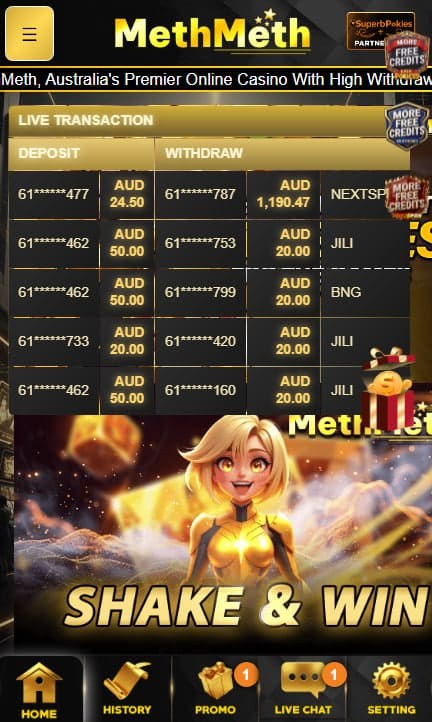
MethMeth Casino runs across mobile devices without requiring a download, with the full pokies library and live dealer tables accessible directly through a browser on iOS or Android. A dedicated application is also available for players who prefer a native install, offering push notifications and biometric login as additional features layered on top of the same underlying game catalogue. Both approaches connect to the same account, meaning progress, balances, and bonus status stay synchronised regardless of which method a player chooses on a given session. Deposits, withdrawals, and support access remain identical across both formats.
Players can either open the site directly through a mobile browser or install the dedicated application, depending on device storage and personal preference. Both routes carry identical game access and account functionality.
| Access method | Download required | Notable feature |
|---|---|---|
| Mobile browser | No | Instant access, no storage used |
| Dedicated app | Yes | Push notifications, biometric login |
Visiting the site through a mobile browser loads the same interface and game selection available on desktop, adapted for a smaller screen. No installation step is required, and no storage space on the device is consumed. This route suits players who prefer not to install additional applications or who are switching between multiple devices.
The native application is available for iOS 12.0 and later, and Android 7.0 and later. iOS users download through the Apple App Store, while Android users retrieve the installation file directly from the operator's website, since Android app stores generally restrict gambling applications. File size sits around 85 to 92 megabytes depending on the platform.
Beyond matching the browser version's game library, the native app adds several features tied specifically to mobile functionality.
The application applies the same encryption standards used across the desktop platform, protecting account credentials and payment information during transmission. Biometric login adds a further layer specific to mobile, reducing reliance on manually entered passwords for repeat access.
Pokies, live dealer tables, and sports betting markets all function identically whether accessed through a browser or the installed application. Touch controls replace mouse input for spinning reels, placing bets, and navigating menus, with layouts adjusted for smaller screens without reducing the underlying game selection.
Evolution Gaming's live dealer streams run through mobile connections, adapting video quality to available bandwidth. Blackjack, roulette, and baccarat tables remain accessible with the same table limits and dealer rotation found on desktop, streamed continuously rather than on a fixed schedule.
iOS users search for MethMeth Casino directly within the Apple App Store and follow the standard prompt to install. Android users typically need to enable installation from outside the default app store within device settings before completing the download from the operator's website, a standard step for gambling applications given app store restrictions in that category.
No. The full game library runs through a mobile browser on iOS or Android without any installation step. A dedicated application is available as an optional alternative.
iOS 12.0 and later, and Android 7.0 and later. File size runs between approximately 85 and 92 megabytes depending on the platform.
Gambling applications typically face restrictions within major Android app stores. The installation file is instead retrieved directly from the operator's website, requiring the installation-from-unknown-sources setting to be enabled temporarily.
Yes. Both access methods connect to the same account and game library, including pokies, live dealer tables, and sports betting markets, without any difference in available titles.
Yes, within the native app, where the device supports fingerprint or face recognition. This feature is not available through standard browser access, which relies on manual password entry.
Data usage varies by activity. Standard pokies play uses relatively little bandwidth, while live dealer streaming through Evolution Gaming consumes considerably more due to continuous video transmission.
Yes. Deposits, withdrawals, and bonus claims all function through mobile access, whether via browser or the dedicated application, identically to desktop functionality.